


Amazon Business: B2B Shopping
4.01.49K Reviews
App Specs
- Version
- 32.15.0.451
- Updated On
- License
- Free
- Downloads
- 5,000,000+
- Developer
- Amazon Mobile LLC
- Categories
- Shopping
- Platform
- Android, iOS
Screenshots
 Analysis by AppCompare
I notice the difference between a business shopping app and an ordinary retail app most when a purchase has to happen while I’m away from a desk. A supply cupboard is running low, someone needs to check a product before ordering, or a purchase needs to fit a team’s process. Those moments make Amazon Business: B2B Shopping useful, but they also make its reliance on a working connection part of the experience: browsing, comparing sellers and completing an order are online tasks, not something I would plan to do without dependable access.
When a connection matters most
The app is easiest to judge in the middle of a real buying task, rather than during a casual browse. If I need to identify a specific supply and check available options, a live connection lets me search, review listings and compare sellers in one place. That can be more convenient than moving between a general marketplace and separate supplier websites, especially when I already know what the business needs.
Connectivity is particularly important near the end of a purchase. I would want to check the selected item and order details while the information is current, rather than assume that something I viewed earlier is still the right choice. For a routine restock, that is a small but worthwhile pause; for an urgent order, it means the app works best when I have enough signal and time to verify what I am buying.
Useful on the move, with a little planning
A phone makes sense for quick checks from a storeroom, a work site or a shop floor, where opening a laptop is awkward. I can imagine a manager checking a supply request during a busy shift, then using the app to look for the item and compare options before deciding. That mobile convenience is most valuable when the task is narrow and I have a clear idea of what to search for.
For a larger procurement job, I would still prefer to sit down and review requirements carefully. A smaller screen can make it easier to overlook details when comparing similar products, and a team purchase may need more thought than a quick tap. My practical approach is to use the phone for discovery and straightforward repeat needs, then slow down before placing an order that affects a budget or several people.
What to do when the task stalls
If a page takes too long to load or a search does not return what I expect, I would first check the connection and retry the task rather than making a decision from incomplete information. This matters because product selection and seller comparisons are only useful when the relevant details have loaded. When the purchase is not urgent, stepping away and returning on a steadier connection is more sensible than rushing.
I would also keep the requested item’s name or key identifying details handy before opening the app. That small habit makes it easier to resume a search after an interruption and reduces the chance of choosing a near-match just to finish quickly. For team purchases, confirming the request with the person who needs the item is a useful recovery step if the original search has become unclear.
Worth Reading Before You Choose

Flipboard Shows What News Apps Must Do Beyond the Feed

Switching to Android Auto Means Rethinking Your Driving Routine

Google Calendar Makes a Crowded Week Easier to Manage

Ludo King Makes the Most of the Minutes Between Plans

Baby Panda World Brings Quick Play to Modern Phones, but Its Game Library Feels Busy

ESPN’s Live Game View Makes Following Close Games Easier
Keep mobile shopping deliberate
Shopping from a phone can save time, but it can also encourage impulse decisions when several listings look similar. I find it helpful to treat the app as a purchasing tool rather than a reason to browse without a goal: start with the business need, compare the available choices, and check the order before proceeding. A connection makes those checks possible, but it does not replace careful judgement.
For anyone watching mobile data use, the sensible approach is to avoid repeatedly loading product pages when a reliable Wi-Fi connection is available. I would save the item details I need in my own notes and use the app when I am ready to compare or act, rather than keeping a long browsing session open. That is a general way to be more deliberate with data, not a promise that the app works offline.
Ever thought about how convenient it would be to have a one-stop-shop app for all your business needs? Well, let me introduce you to Amazon Business: B2B Shopping. It's like having a personal assistant for your shopping needs, right on your phone. With the hustle and bustle of managing a business, who has time to run around looking for supplies? This app is here to make your life a whole lot easier.
What’s the Deal with Amazon Business?
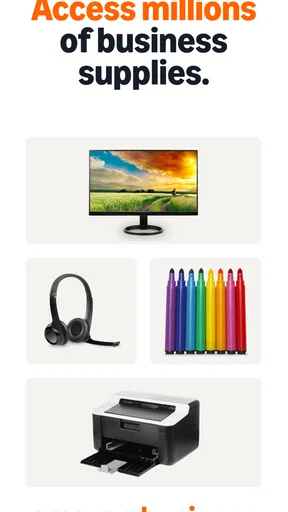
So, you might be wondering, what sets Amazon Business: B2B Shopping apart from regular Amazon? Well, for starters, this app is tailored specifically for business purchases. It's like Amazon but with a suit and tie. You get access to a vast selection of products, competitive pricing, and bulk discounts that are perfect for businesses of any size.
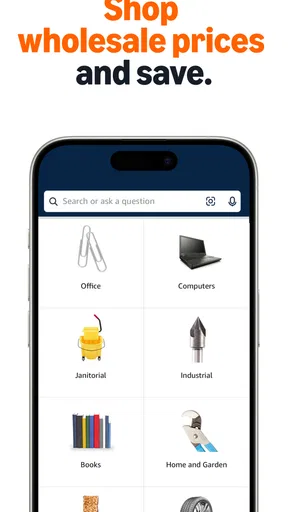
Setting up is a breeze. Just create a business account, and you're good to go. The app interface is clean and intuitive, so you won’t be fumbling around trying to find what you need. Everything is categorized neatly, making it easy to navigate through the plethora of items.
Features that Make Life Easier
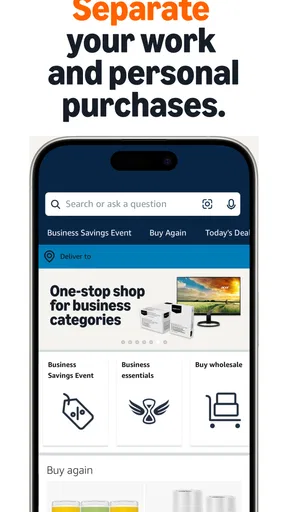
One of the standout features is the ability to create multi-user accounts. This means you can add your team to the account, and everyone can make purchases as needed. No more hassle of reimbursing employees. It's all streamlined, saving you time and money.
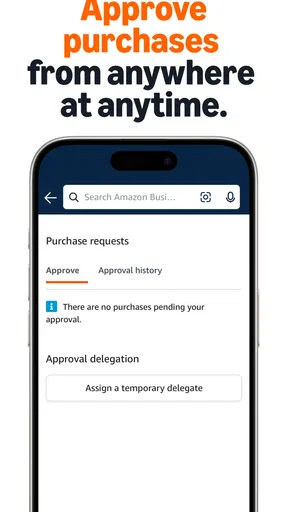
The app also offers approval workflows. This is a game-changer if you’ve got a larger team. You can set up approval processes for purchases, ensuring that all orders align with your company’s policies. It’s like having a virtual gatekeeper that keeps an eye on your spending.
And let’s not forget about the analytics. With detailed spending reports, you can easily track where your money is going. This feature provides insights that can help optimize your purchasing strategy, ensuring you're getting the best bang for your buck.
Pricing and Deals
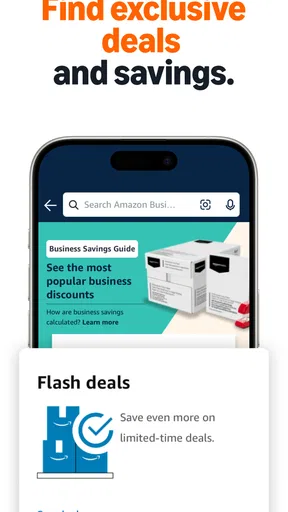
Now, let's talk about pricing. One of the biggest perks of using this app is the access to exclusive business pricing. You can find discounts on bulk orders and special deals that are not available to regular Amazon users. It’s like having a secret handshake that gets you into the VIP club of savings.
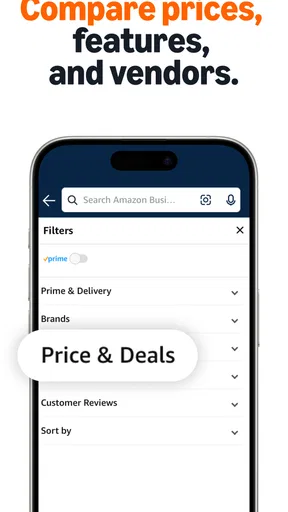
Plus, the app offers a feature to compare prices between different sellers. This is super handy when you're trying to find the best deal without having to visit multiple websites. With just a few taps, you can ensure you're getting the most competitive price available.
Integration and Compatibility
Integration is seamless with existing procurement systems. Whether you’re using SAP Ariba, Coupa, or another system, Amazon Business has made it easy to sync with your existing setup. This means you can streamline your purchasing process without having to overhaul your current systems.
The app is available on both Android and iOS, so it doesn’t matter what device you’re using. It’s all about convenience, and Amazon Business: B2B Shopping delivers on that front.
Who benefits—and who may prefer another route
I see the clearest fit for a small business, office manager or team that regularly buys practical supplies and wants purchases handled through a business-focused account. The shared access, approval workflows and spending reports described above can be more useful than a plain consumer shopping experience when more than one person is involved. A solo buyer who rarely orders for work may find the extra business structure less important and prefer the familiar simplicity of a regular retail account.
It is also not automatically the best choice for every business purchase. If a product requires specialist advice, a tailored specification or an established relationship with a local supplier, a marketplace search may be a starting point rather than the final decision. I would use the app to compare routine options, but I would not let a convenient listing replace checking whether an item is suitable for a particular workplace or process.
A realistic restock, from request to decision
Picture a small office discovering that printer paper and basic cleaning supplies are running low just before a busy week. A staff member can identify what is needed, while the person responsible for buying checks the business account on a phone, searches for the requested products and weighs the seller options. If the team uses approval steps, that request can be handled within its purchasing routine instead of becoming an informal reimbursement later.
The useful trick is to separate “find the item” from “approve the spend.” I would first confirm the exact product requirements with the colleague who asked, then compare suitable listings, and only then move through the team’s approval process. That order reduces the risk of an attractive price distracting from the actual need. For a recurring item, noting the identifying details outside the app can also make the next search quicker without relying on memory.
Business shopping versus familiar alternatives
Compared with ordinary consumer shopping, the main reason to choose this app is not simply that it puts products on a phone. It is the business orientation: the account structure, purchasing controls and spending visibility are relevant when an organization needs more than one person to participate. A standard retail app may feel lighter for an individual buying one item, while this business-focused option makes more sense when orders need oversight.
Compared with going directly to individual suppliers, the marketplace approach can make it convenient to browse and compare seller offers in one place. The trade-off is that a broad marketplace still asks the buyer to judge whether the listing fits the business’s exact requirements. I would not assume that the lowest displayed price is automatically the best purchase; quantity, suitability and the team’s own procurement rules matter too.
Amazon Business is a free shopping app from Amazon Mobile LLC. It has a 4.0 average from around 16,000 ratings, and more than one million installs. The content rating is Teen. It was released on May 11, 2021, and version 32.11.0.451 lists Android 9 as the minimum operating system. Those details make it straightforward to check whether the app is relevant to your device and intended use before setting up a business buying routine.
Costs, expectations and sensible checks
The app itself is free, but I would still treat the cost of each order as a separate decision. Business pricing and bulk offers can be helpful, yet buying more than the team can use is not a saving. Before committing to a larger quantity, I would compare the offer with the actual consumption rate and the space available to store supplies. A modest order that fits the need can be better than a bulk deal that ties up money and room.
Another practical question is whether the app’s business tools fit the way your organization already buys. A small team may appreciate a shared account and approval steps; a company with a formal procurement process should consider how the app fits alongside its existing workflow rather than assuming it will replace every system. The original article describes integration with procurement systems, but I would still make sure the arrangement suits the organization’s own process before relying on it for regular purchasing.
Getting more value without rushing
My best advice is to make the account structure work before a busy day arrives. Decide who should be involved in purchasing, what kinds of orders need approval, and which supplies are routine enough to buy quickly. That preparation matters more than learning every screen at once: it helps a team use multi-user access and approval controls intentionally instead of sorting out responsibility after an order has been placed.
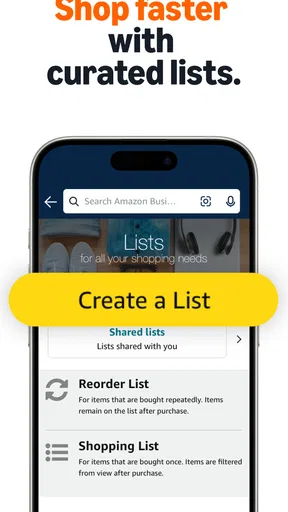
For repeat supplies, keep a short internal list of the requested item names and quantities, then use the app to check current options when it is time to buy. This is especially helpful when different staff members describe the same item in different ways. It also makes price comparisons more meaningful, because the buyer is checking alternatives against a clear need rather than browsing unrelated products.
For a one-off or high-impact purchase, I would take the opposite approach: slow down, verify the requested specification and let the appropriate person review the choice. A shopping app can simplify the path to an order, but it cannot decide whether a product meets a business requirement. That distinction is easy to forget when search and checkout are convenient, and it is where a careful human check adds real value.
My connectivity verdict
For me, the app’s convenience depends on having a usable connection at the moment I need to search, compare or complete a purchase. That is a reasonable trade-off for a mobile marketplace, but it means I would not make it the only place where a team keeps its purchasing instructions or product requirements. Keep those details accessible through your usual work process, and use the app when you can review the live choices properly.
If your work involves frequent, straightforward business restocking and your team can benefit from shared purchasing controls, this is worth considering. If you buy rarely, need specialist supplier support, or cannot reliably get online where purchasing decisions happen, another route may suit you better. My overall view is that Amazon Business: B2B Shopping is most useful as a connected tool for deliberate business buying—not as a substitute for knowing what your organization needs and checking each order with care.
Pros
- Wide range of business supplies available.
- Exclusive discounts for business accounts.
- Easy integration with procurement systems.
- Multi-user accounts with approval workflows.
- Detailed spending reports and analytics.
Cons
- Limited customer support options available.
- Some products may have delayed shipping.
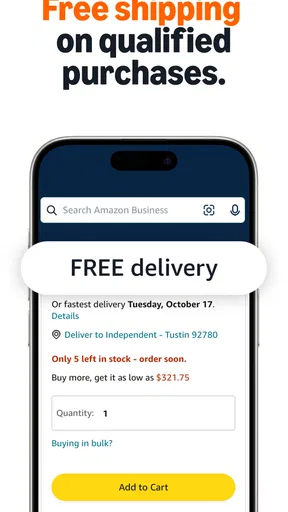
- Requires a Prime membership for free shipping.
- Complex interface for new users.
- Limited customization in order approvals.
FAQs for Amazon Business: B2B Shopping
What is Amazon Business and how does it differ from regular Amazon?
Amazon Business is a marketplace tailored for businesses, offering features like bulk purchasing, business-only pricing, and multi-user accounts. Unlike regular Amazon, it focuses on B2B transactions, providing tools for procurement, spending analytics, and tax exemption options. It caters to businesses of all sizes, ensuring streamlined operations and cost savings.
How can my business benefit from using Amazon Business?
Amazon Business offers several benefits, including access to a wide range of products with business-only pricing and discounts. It also provides features like multi-user accounts, approval workflows, and detailed spending reports. These tools help streamline procurement processes, enhance efficiency, and support informed purchasing decisions, benefiting businesses of all sizes.
Is there a cost to use Amazon Business, and are there any subscription fees?
Amazon Business is free to join, but it offers a Business Prime membership with additional benefits, similar to Amazon Prime for individuals. Business Prime includes features like fast, free shipping, enhanced analytics, and progressive discounts. The subscription fee varies based on the number of users and the level of benefits selected.
What are the security and privacy measures in place for Amazon Business accounts?
Amazon Business employs robust security measures, including data encryption, access controls, and regular security audits. It allows businesses to manage user permissions and set spending limits, ensuring secure and controlled purchasing. Users can rest assured that their data is protected with Amazon's advanced security protocols, safeguarding sensitive business information.
Can Amazon Business integrate with existing procurement systems?
Yes, Amazon Business can integrate with various procurement systems through its PunchOut capability and APIs. This integration allows businesses to seamlessly incorporate Amazon Business into their existing procurement workflows, enabling efficient order processing, tracking, and management. It supports popular systems, ensuring compatibility and ease of use.


